How to remote login to the lab computer
Note:You need Visual Studio Code for this setup. Make sure you have installed VS Code in your machine.
Step 1: Request PI for access to lab computer.
Once your ID is approved you’ll get your host ID. Your host ID will be something like
your_netid@remotePC_IPaddress.Step 2: Install the Remote SSH VS Code extension.
If you are new to VS Code you can learn more about how to install extensions here.
Step 3: Adding remote Host
PressCmd+Shift+P(for Mac) orCtrl+Shift+P(for windows) to pull up the command palette. In the command palette start typing SSH.
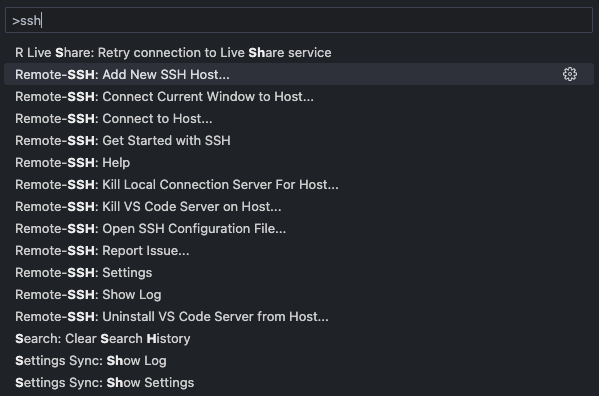
From the list, choose Remote-SSH:Add New SSH Host…
Step 4: Enter Host ID
Step 3 will generate the following window:
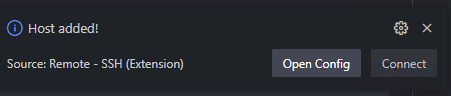
Enter the host ID you got from Step 1 in the above empty field. This will prompt you to choose a directory for saving the configuration file. You can choose the default options you see from the list. Once adding the remote host is complete, you’ll see the following message towards the bottom right corner of your VS Code window.
Step 5: Connect to remote computer
PressCmd+Shift+P(for Mac) orCtrl+Shift+P(for windows) to pull up the command palette. In the command palette start typing SSH.
From the list, choose Remote-SSH:Connect to Host…. This will show you a list of Hosts to choose from. The host will be listed by their IP address.
Once you choose the host IP address, a new VS Code window will pop with with the command palette asking for you to enter the password. Here you enter your netid password. Once the connection is established you’ll see the left corner of your vs-code with your host IP address in blue color.
Step 6: Get the Command Line Interface
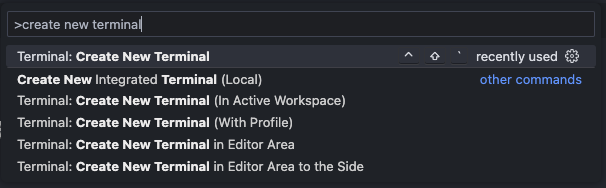
PressCmd+Shift+P(for Mac) orCtrl+Shift+P(for windows) to pull up the command palette. In the command palette start create new terminal.
Step 7: Install your language specific VS Code Extensions
To use your programming language of choice. You’ll need to install the language specific VS Code extensions in the remote machine. To do so, you go to the extensions window and find the extension you want to install. In the options, you’ll see “Install in SSH”.